Showing posts with label bluetooth. Show all posts
Showing posts with label bluetooth. Show all posts
Sunday, January 22, 2017
How to send XAP file to windows phone via Bluetooth
How to send XAP file to windows phone via Bluetooth

Your friend have a .xap/.appx of any game which you need, but when you send that to your device via bluetooth it dont shows-up in your file manager?
OR
You have to remove your memory card every time to transfer that .xap to your phone?
Dont worry then i have awesome solution for you.
Requirements:
Steps to send .xap to your windows phone:
Now reboot your windows phone to install it from store.
Thanks for reading.
Stay Connected To Us,OR
You have to remove your memory card every time to transfer that .xap to your phone?
Dont worry then i have awesome solution for you.
Requirements:
- Windows phone,
- Another Device which have bluetooth,
- .Xap of your app/game,(You can download from windowsphone.com)
- File manager. (I use Files)
XAP is the file format used to distribute and install application software and middleware onto Microsofts Windows Phone 7/8 operating system, and is the file format for Silverlight applications. Beginning with Windows Phone 8.1, XAP will be replaced by APPX as the file format used to install apps on the Windows Phone platform, a move which was done by Microsoft in order to unify the app development platforms for Windows Store apps and Windows Phone apps.The Windows Phone Marketplace allows users to download XAP files to an SD Card and install them manually.
Steps to send .xap to your windows phone:
*In Another Device:(I use android)
- Download .xap in your another device from windowsphone.com
- Locate it in file manager.(Download folder of the .xap)
- Rename it from .xap to .xap.jpg (check screenshot below)
 |
| Android Device |
Now After doing above steps properly, Send that Renamed .xap.jpg to your windows phone.
*In your windows phone:(i have lumia 630)
- Open your file manager,(i use Files)
- Locate for SDcard/Pictures/saved pictures/ (this can be also Phone/Pictures/saved pictures/ Depends on your storage sense settings)
- Find the file with extension .xap.jpg (check screenshot below)
- Now again rename your .xap.jpg to .xap
- Move that file from SDcard/Pictures/saved pictures/ to SDcard/
 |
| Windows phone |
Thanks for reading.
Like Our Facebook Page,
Join Our Facebook Group.
Also follow us on Twitter.
Available link for download

Sunday, October 9, 2016
How to share your cellular data connection over Bluetooth
How to share your cellular data connection over Bluetooth
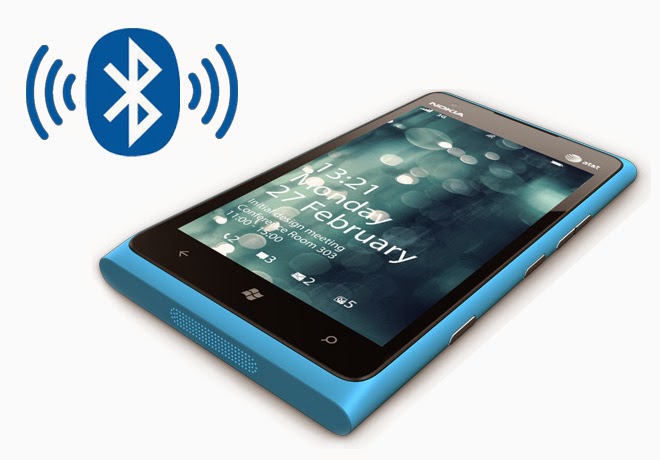
To use the shared data connection over Bluetooth, the device youre using must support the Bluetooth Personal Area Network User (PANU) role. To find out if your Bluetooth device supports this, check the documentation that came with it or check the manufacturers website. To learn more about Bluetooth personal area networks (PAN) in general, check out the Microsoft Windows website.
Pair your phone with the Bluetooth device and connect to it over Bluetooth.
You can also start sharing over Bluetooth even when Sharing is turned off. Just connect your device to your phone over Bluetooth, and then Sharing will turn on automatically.
Tip
Trying to decide which connection to share over? First, it depends on the device and whether it lets you connect to a shared connection over Wi-Fi or Bluetooth. If it lets you choose either type of connection, consider how much bandwidth and coverage youll need. If youre doing something that requires a lot of bandwidth, such as watching streaming video, or when you need a wider range of coverage, consider using Wi-Fi. On the other hand, if youre doing something that doesnt use a lot of data, such as email, social networking, or just casually browsing the web, sharing over Bluetooth can work well for that and can help make your battery last a little longer compared to using Wi-Fi.
Note
- To share your cellular data connection, this feature must be available from your mobile operator and enabled on your current phone plan. This is also known as tethering or hotspot and often costs extra.
- When you and others use the shared connection on another device, it uses data from your cellular data plan. You should be aware of any data limits you have on your plan, so you arent charged extra.
- If youre sharing your connection over Wi-Fi and then a Bluetooth device that can use a shared data connection connects to your phone, sharing will automatically switch to Bluetooth if the Allow Bluetooth devices to switch sharing from Wi-Fi to Bluetooth check box is selected. If you dont select the check box, you can still switch to Bluetooth, but youll be prompted first.
- When youre sharing your cellular data connection, you wont be able to use a Wi-Fi or VPN connection on your phone.
- The top of the screen has icons that tell you a lot about your phone—including information related to connection sharing. When youre sharing your cellular data connection, the Internet sharing Internet sharing icon appears at the top of the screen on the status bar. See What do the icons on my phone mean? for more info about this icon and others that might appear on the status bar.
Available link for download
Subscribe to:
Posts (Atom)