Showing posts with label router. Show all posts
Showing posts with label router. Show all posts
Sunday, March 12, 2017
How To Boost Your Router And Increase Signal
How To Boost Your Router And Increase Signal
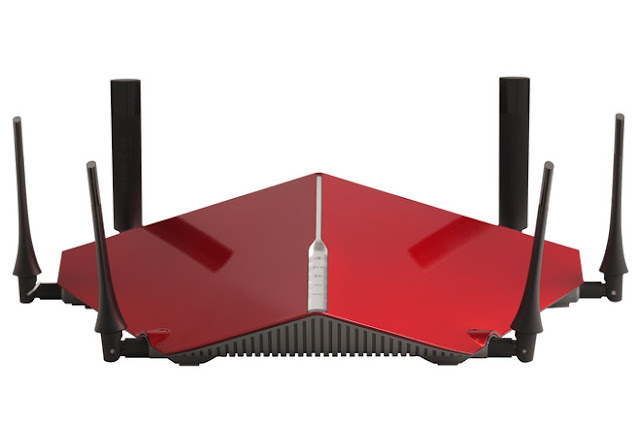
For those who connect to the internet using the wireless network without having to keep up with the cables.One of the problems face is that the low signal of the modem. Many people wonder how to upgrade your router and in this article we will see some useful ways to Boost Router And Increase Signal.

Around the web you will find many different tips and tricks on how to enhance your router.Beyond the corrective actions in particular with antenna boosters, you should first of all make sure that the drivers of the router, viewable and downloadable from the manufacturer’s website, they are all present and up to date in your PC.
I Hope This Article Helps You If You Getting Any Problem Related To This Article You Can Comment By Below Comment Box We Will Help You And If You Need Any Trick Or Software Or Hack You Can Mail Us We Will Try To Give That Article We Happy To Help You All Guys.Thank You Share And Subscribe Us. #Pankaj Patidar Rock

Having the connection available on your PC without the need for a wire is of a great convenience but has to deal with possible interference and lowering of the wireless signal provided by the modem. For this reason many are informed, often on the internet, on how to enhance or boost your router, so as to have a fast and stable connection that is not affected by the low signal of the Net, there are a number of corrective actions and changes that can practice the router to increase the frequency of the signal released.
1.Boost Router Signal
One of the first things to do for to have a good frequency of the wireless signal is to remove the obstacles that may affect the physical range of the signal from the router / access point. Remove “barriers” to facilitate the radiation signal in the environment is critical to increase the power of the same. In the home network was also found that the presence of cordless phones are slowing down dramatically the signal connection, therefore the preferable to opt for the traditional landlines.Role of Antennas in Router
One of the most popular and practiced advice is to strengthen the antennas. To do this there are many different enhancers router antennas that ensure the increase of the signal. Some opt instead for “craft fixes” designed to divert the omni-directional range of the router in a more delimited, for example with the original use of a tin can, which according to those who have tried it increases the signal strength of 20%.Around the web you will find many different tips and tricks on how to enhance your router.Beyond the corrective actions in particular with antenna boosters, you should first of all make sure that the drivers of the router, viewable and downloadable from the manufacturer’s website, they are all present and up to date in your PC.
I Hope This Article Helps You If You Getting Any Problem Related To This Article You Can Comment By Below Comment Box We Will Help You And If You Need Any Trick Or Software Or Hack You Can Mail Us We Will Try To Give That Article We Happy To Help You All Guys.Thank You Share And Subscribe Us. #Pankaj Patidar Rock
Dont Forget To Like And Follow..
Available link for download

Tuesday, January 10, 2017
How Many Types Of Routing Are Performed On The Cisco Router Static Default Static Dynamic
How Many Types Of Routing Are Performed On The Cisco Router Static Default Static Dynamic

How Many Types Of Routing Are Performed On The Cisco Router-
There are three types of routing :
1) static routing
2) default routing
3) dynamic routing.
1)Static routing :
a)In the static routing ,administrator have to manually provide the destination networks entries in the routing table.
b)It means administrator must know the path of destinations network.
c)It is most reliable type of routing because only administrator knows the route till destination.
d)It is suitable only for small networks.
e)In the large network it is a full time job for a network administrator to update routing table continuously which is a very tough task.
f)The administrator distance or AD value of static routing is 1 .
2) Default routing or default static routing.
it is another type of static routing. it is used when administrator does not know the information of destination networks and their routes.
Note-
a) Static routing can only perform in the stub router.
b) A router is called stub when it has only one entry and exit path.
Basically uses in DSL or ADSL router.
The AD value of default routing is 1.
3) Dynamic routing: In dynamic routing administrator does not need to manually update the routing table
Available link for download
Thursday, January 5, 2017
How To Configure RIP In The Cisco Router
How To Configure RIP In The Cisco Router

How To Configure RIP In The Cisco Router
Command to configure-R(confg)#router rip
Router(config-router)#ver 2
Router (config-router)#network connected network
Available link for download
Tuesday, October 11, 2016
How To Perform Routing In The Cisco Router
How To Perform Routing In The Cisco Router

How To Perform Routing In The Cisco Router
IP routing-
Router-Router is an internetworking device.which works at L-3 (network layer) of the OSI model. it is used for communicate networks within different topology, network and physical protocols. it is the most intelligent networking device.
a) Routing is a process perform by router. it is used for identify the best path from source to destination in the internetwork.
b) The process of communicating different networks to each other is called Routing.
c) Router performs the routing. Router is a L-3 device.so routing is a L-3 process.
For perform the routing, router maintains a table called its routing table or IP table.
Routing table : in the routing table router stores all the informations of its connected networks.
By default router stores the entries of its directly connected networks in the routing tables.router identity only networks in the routing table.
Routing Identify only network not host in the routing table. by default all the configuration stores in the RAM.
Routing is a process of exchange the routing table information with each router in the topology.
CDP : Cisco discovery protocol
CDP is a protocol originally designed by Cisco.so it is Cisco proprietary protocol by default configured in all cisco devices..
But does not support non-cisco devices.
CDP is used for show all types of information of its neighbour connected networking devices.
Commands :
Router# Show cdp
(Show all the information of CDP timers).
Router# show cdp neighbours
(Show interface of neighbours).
R# show cdp neighbours details
(Show all the details of neighbours).
CDP timers:
1.Hello timer=60secs
2.Invalid timer=180secs
3.Flash timer =240secs.
Available link for download
Saturday, October 1, 2016
How To Break Password Of All Modes And Interfaces The Cisco Router
How To Break Password Of All Modes And Interfaces The Cisco Router
How To Break Password Of All Modes And Interfaces The Cisco Router-
1)Global configuration mode-to remove or change the password
2) ROMMON mode-to break the password.
Things that you have to remember before breaking the password-
a) Configure the Cisco router as you want with password
b) Copy running-configuration into startup-configuration.
Steps to break the password-
1) Reboot the Cisco router
2) Press ctrl+pause break or scroll lock key before 60 seconds.
3) You have entered to ROMMON mode.
Change the configuration register value from 0×2102 to 0×2142 by using these commands-
ROMMON1>confreg 0×2142
ROMMON2>boot
Available link for download
Friday, September 9, 2016
How To Implement Password On The Cisco Router
How To Implement Password On The Cisco Router

How To Implement Password On The Cisco Router
1) Enable Password-this password is used for restrict a user to access privilege mode of the command prompt.
To enable password
Router(config)#enable password CISCO
To remove password
Router(config)#no enable password
2) Enable secret password-this password is also used for restrict the user to access privilege mode but it stores in the encrypted form.
To enable password
Router(config)#enable secret CISCO
To remove password
Router(config)#no enable secret
3) Console password-console password is used for restrict the physical access or console access of the Cisco router.
To enable password
Router(config)#line console 0
Router(config-line)#password CONSOLE
Router(config-line)#login
Router(config-line)#exit
To remove password
Router(config-line)#no password
Router(config-line)#login
Router(config-line)#exit
4) VTY password-this is telnet password.
Router(config)#line vty 0 4
Router(config-line)#password VTY
Router(config-line)#login
Router(config-line)#exit
To remove password
Router(config-line)#no password
Router(config-line)#login
Router(config-line)#exit
5) Auxiliary password-
Router(config)#line aux 0
Router(config-line)#password Aux
Router(config-line)#login
Router(config-line)#exit
To remove auxiliary password
Router(config-line)#no password
Router(config-line)#login
Router(config-line)#exit
For encrypt all types of password-
To enable password encryption
Router(config)#service password-encryption
To remove password encryption
Router(config)#no service password encryption
Available link for download
Friday, September 2, 2016
IP Addressing Commands Of Cisco Router How To Assign IP Address To Each Interface
IP Addressing Commands Of Cisco Router How To Assign IP Address To Each Interface

IP Addressing Commands Of Cisco Router- How To Assign IP Address To Each Interface
Fast Ethernet
Router(config)#interface fast ethernet 0/0
Router(config-if)#ip address 192.168.10.1 255.255.255.0
Router(config-if)#no shutdown
Router(config-if)#exit
Serial
Router(config)#interface serial 0/0
Router(config-if)#ip address 192.168.20.1 255.255.255.0
Router(config-if)#clock rate 64000
Router(config-if)#no shutdown
Router(config-if)#exit
For remove IP address of any Interface-
Router(config-if)#no ip address
Available link for download
Subscribe to:
Posts (Atom)